CURRENT AND SAVINGS ACCOUNT
- From your My Account widget of the Dashboard, click on the Current & Savings section.
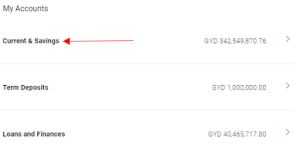
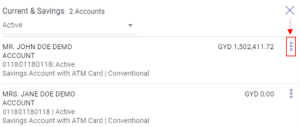
- Select the account you wish to inquire
- Click on the more option/eclipse icon
 to the right of your account number.
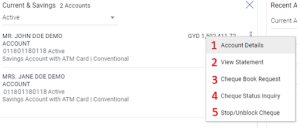
- Select, from the dropdown, the activity you wish to perform on the account
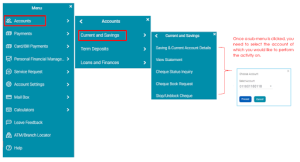
- Additionally, you can access your Current and Savings Account activity from your menu.
TERM DEPOSIT ACCOUNT
- Once logged into Go-Banking, click on the toggle aka ‘Hamburger’ icon
 to view your menu.
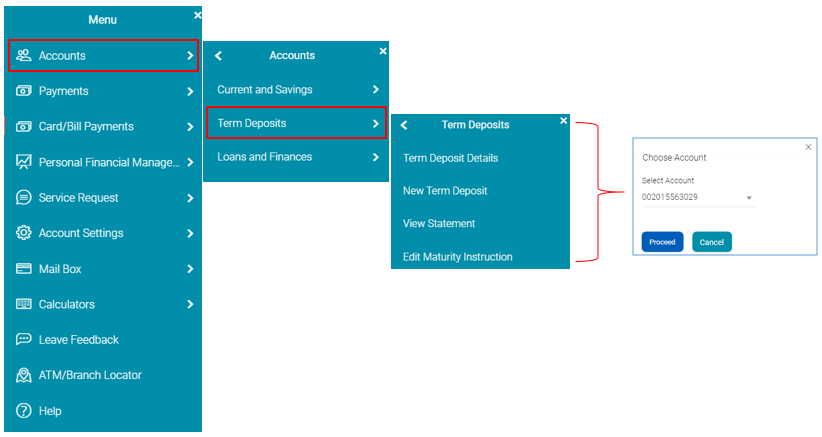
 - From your main menu, select
 then select
  to view the activities that can be performed.
OR
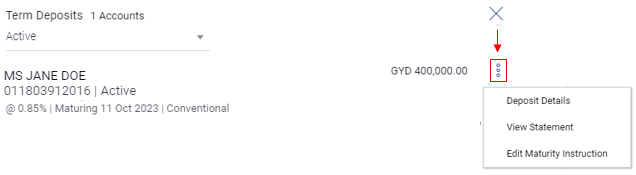
- From your My Account widget of the Dashboard, click on the Term Deposits
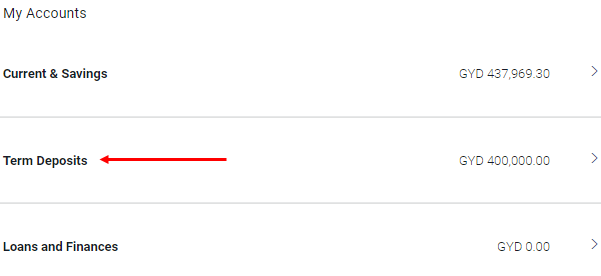
- Click on the more option/eclipse icon to the right of your Term Deposit account number.